
Calm
The signals line up. Proceed with a clear head.
 Trenchmate
CA 26YXB2mxUBDnAYfvbQ4js3NVzjyDDXGtdccjZPdWpump
DownloadPil checks the coin before you ape — automatically, right next to your chart.
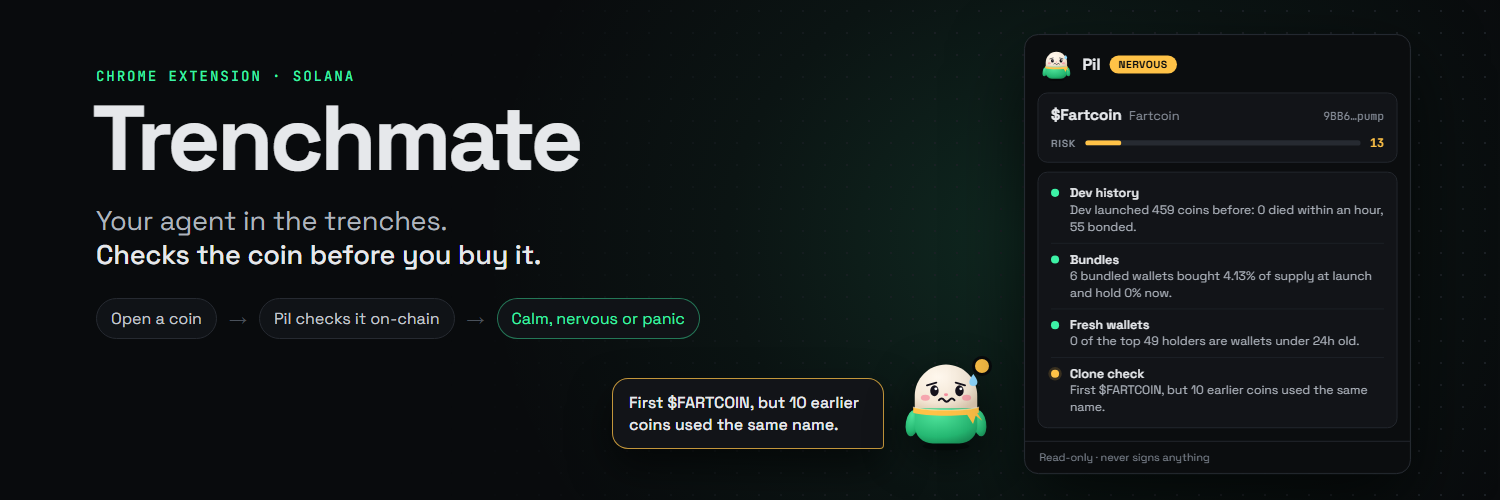
Meet Pil
The signals line up. Proceed with a clear head.

Something feels off. Take a closer look.

The data is waving a very big red flag.
Signal over noise
Four public-data checks. No guesswork, no hype — just a faster way to see what is actually sitting in front of you.
See how many coins the creator launched before — and how those launches ended.
Spot wallets that bought together or were funded together, plus the supply they hold.
Count top holders that are less than 24 hours old before they become your problem.
Find earlier coins that already used the same ticker, name, or image.
Get on watch
Four steps. Your own free Helius key. Nothing else.
Grab the extension zip and unzip it somewhere you can find again.
Open chrome://extensions and switch Developer mode on.
Click Load unpacked and choose the unzipped trenchmate folder.
Click the toolbar icon, paste your Helius key, then open a coin on Padre. Get one at helius.dev .
Keep your keys yours
Trenchmate never signs, sends, or touches transactions. It never asks for a private key or seed phrase. Your Helius API key stays in your browser, and Trenchmate only works with Solana coins on Padre in desktop Chromium browsers.